
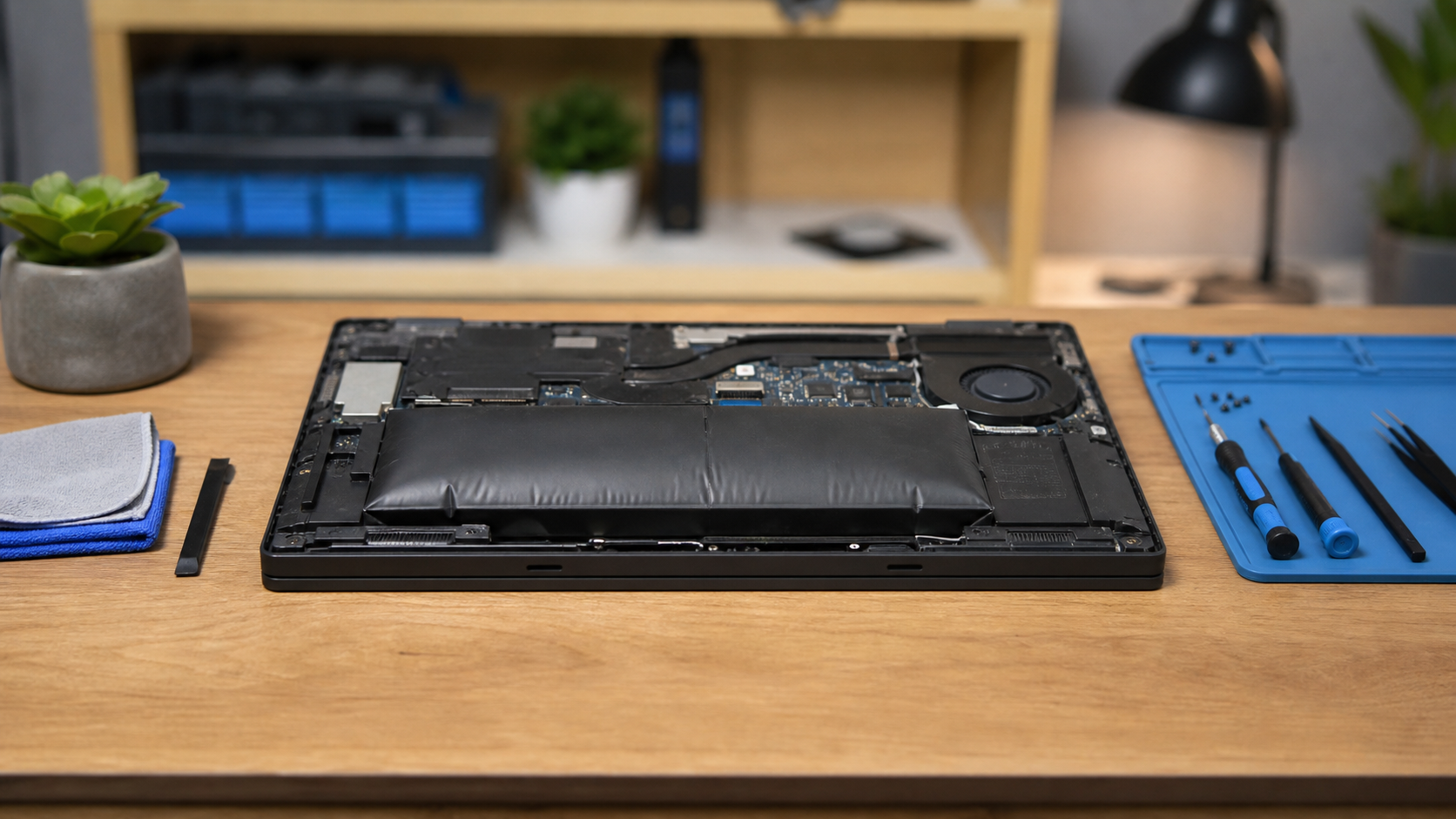
Laptop batteries wear out over time. Most simply hold less charge, but some begin to swell as gases build up inside the battery cells. A swollen battery should be treated carefully because pressure can damage the case, keyboard, trackpad, and internal components.
Watch for changes in the case
Common warning signs include a trackpad that is difficult to click, a keyboard or palm rest that is lifting, a gap between the top and bottom of the case, or a laptop that rocks on a flat table. The screen may no longer close evenly. These changes can be gradual and easy to overlook.
Stop charging or pressing on it
Do not push the case back together, puncture the battery, bend it, or continue charging it overnight. Avoid placing heavy objects on the laptop. If the computer feels unusually hot, smells chemical, hisses, smokes, or becomes rapidly misshapen, move away from it and contact emergency services if there is an immediate fire risk.
Back up without taking unnecessary risks
If the laptop is stable and still safe to operate briefly, an up-to-date backup is helpful before service. Do not keep using a visibly swollen or overheating battery just to finish routine work. Review how often important files should be backed up and keep another copy away from the laptop.
Have the complete laptop checked
Battery replacement should include checking the charger, charging port, cooling system, and case for damage. If the computer is also running hot, read how to keep a laptop from overheating.
If your laptop case is separating or the trackpad has started lifting, stop using it and contact Clemtech Computers for practical local advice.
