
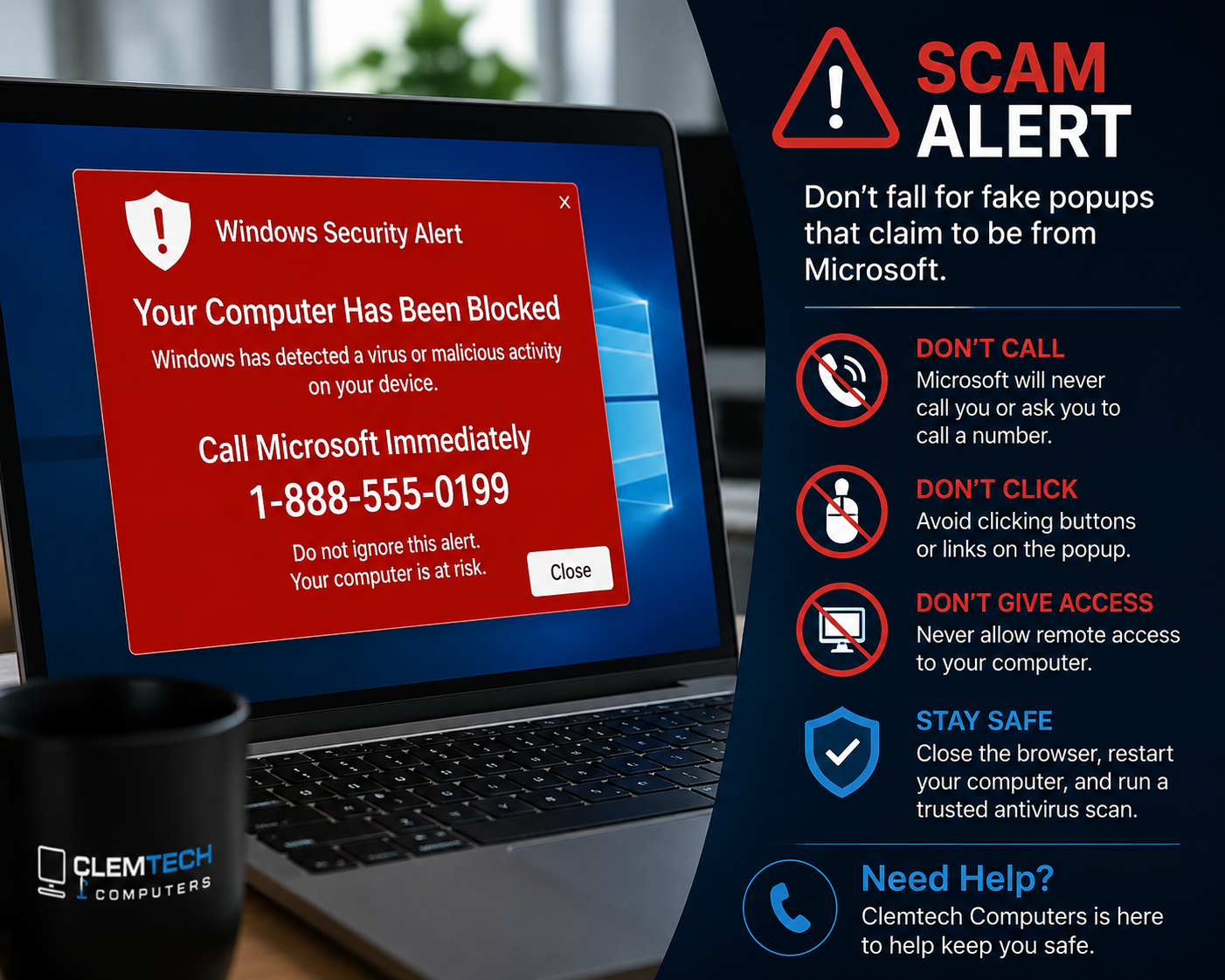
One of the most common scams I see starts with an alarming popup that suddenly appears on a computer screen. It may claim that the computer is infected, hacked, blocked, or locked.
The warning may play a loud alarm, speak through the computer’s speakers, and display messages such as “Your computer has been blocked,” “Windows has detected a virus,” or “Call Microsoft immediately.”
The goal is simple: frighten you into calling the phone number shown on the screen.
The truth about these popups
A legitimate Microsoft or Windows security alert will not trap your browser and tell you to call a support number. These popups are usually fake web pages designed to look official so scammers can gain your trust and obtain remote access to your computer.
What happens if you call?
- The scammer claims your computer is badly infected.
- They ask you to install remote-access software.
- They show normal Windows logs and pretend the entries are viruses.
- They request payment for fake repairs or security services.
- They may attempt to steal passwords, banking information, or personal data.
Some victims end up paying hundreds of dollars for services they never needed.
What should you do instead?
- Do not call the phone number.
- Do not click buttons or links in the popup.
- Close the browser. If it will not close normally, use Task Manager or restart the computer.
- Run a scan with trusted security software.
- If you are unsure, contact someone you trust using a phone number you already know.
In many cases, the computer is not infected. The browser has simply become trapped on a malicious website designed to create panic.
If you already called or allowed access
Act quickly if you called the number, installed remote-access software, entered a password, or made a payment. Disconnect the computer from the internet and contact your bank or card company if money or payment information was involved.
A trusted local technician can help remove remote-access software, check for malware, secure your accounts, change passwords safely, and verify that the computer is safe to use.
Remember: scammers rely on fear and urgency
- Microsoft will not unexpectedly call you about a computer problem.
- A browser popup telling you to call Microsoft is not a trustworthy security warning.
- Legitimate support will not demand gift cards or unusual payment methods.
- No honest technician should pressure you to act before you understand the problem.
When in doubt, close the browser, stay calm, and ask a trusted local professional for advice. A few minutes of caution can save hundreds of dollars and protect your personal information.
Need help after a suspicious popup? Call Matt at 256-497-5578 or contact Clemtech Computers for friendly, no-pressure help in Athens, Limestone County, and nearby North Alabama communities.
